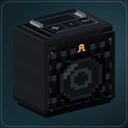
Autoradio 1.0.0 is out for Minecraft 26.1.2, 26.2 and 26.3 on Fabric. Queue the next songs for your speaker setup, let friends send requests and tune into more live stations.
Open Queue from F12 on a placed speaker or linked soundbar. Add a selected Custom track or the current song, check the upcoming order and start the queue when you are ready. Adding a song keeps the current one playing. The linked installation shares one queue for the current server session; it is not saved across server restarts, and live broadcasts cannot be queued as songs.
The owner can enable song requests so nearby friends can suggest tracks. Each addition needs approval; public speaker access does not give players permission to edit the queue. Listeners still choose whether to allow shared Custom music.
Internet radio now supports direct AAC/AAC+ ADTS streams alongside MP3 and Ogg Vorbis, with no separate codec installation. Recently played stations make it easier to return to your favourites without another search. No internet stations are bundled as presets. HLS playlists and MP4/M4A links are not supported.
Playback preparation, safer source switching and stream recovery also get attention in this release. The five built-in stations and all 55 tracks remain, along with the personal listening controls, Custom playlists and optional volume leveling introduced in 0.6.0.
Update clients and server together to 1.0.0 for shared Internet playback. Mixed 0.6.0/1.0 peers keep built-in music, but Internet is unavailable across that boundary. Choose the file for your Minecraft version and matching Automobility, and keep your Custom files, saved settings, permissions and world speaker links.