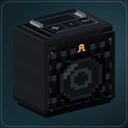
Released on October 4, Autoradio 0.6.0 brings personal listening controls and searchable Custom playlists to Minecraft 26.1.2, 26.2 and 26.3 on Fabric.
Open My listening from F12 to set your own Autoradio volume, lower nearby radios or mute a particular device or linked group. Other players keep hearing their music. Prefer car radio makes outside radios quieter while you ride.
Autoradio now uses Minecraft’s Master volume and its own personal level. When upgrading, your old Music level is copied once into the Autoradio setting; the Music slider then controls Minecraft music independently.
Use F9 to browse your Custom library and search by title or artist. Each direct subfolder becomes a playlist. Choose a track or playlist when you are ready; browsing keeps the current song playing, and shuffle stays within your chosen playlist.
Different recording levels? The optional Level music volume setting adjusts Custom tracks for your own listening. It is off by default, measures in the background and keeps your original files intact. Built-in stations and internet radio keep their existing levels.
Linked Party Speakers now share Group volume. Press Apply to change the loaded members together. Newly linked speakers inherit the source’s level; existing groups with mixed levels need an applied volume change to bring them together.
This release also fixes delayed selections replacing newer controls, stale playback progress and an audio-channel leak during repeated playback.
Choose the download for your Minecraft version and matching Automobility. Update clients and server together for shared controls, and keep your Custom files, permissions and world speaker links. The same five stations and 55 bundled tracks are included.